
Crew Companion · Beta
The pace chart
that keeps up.
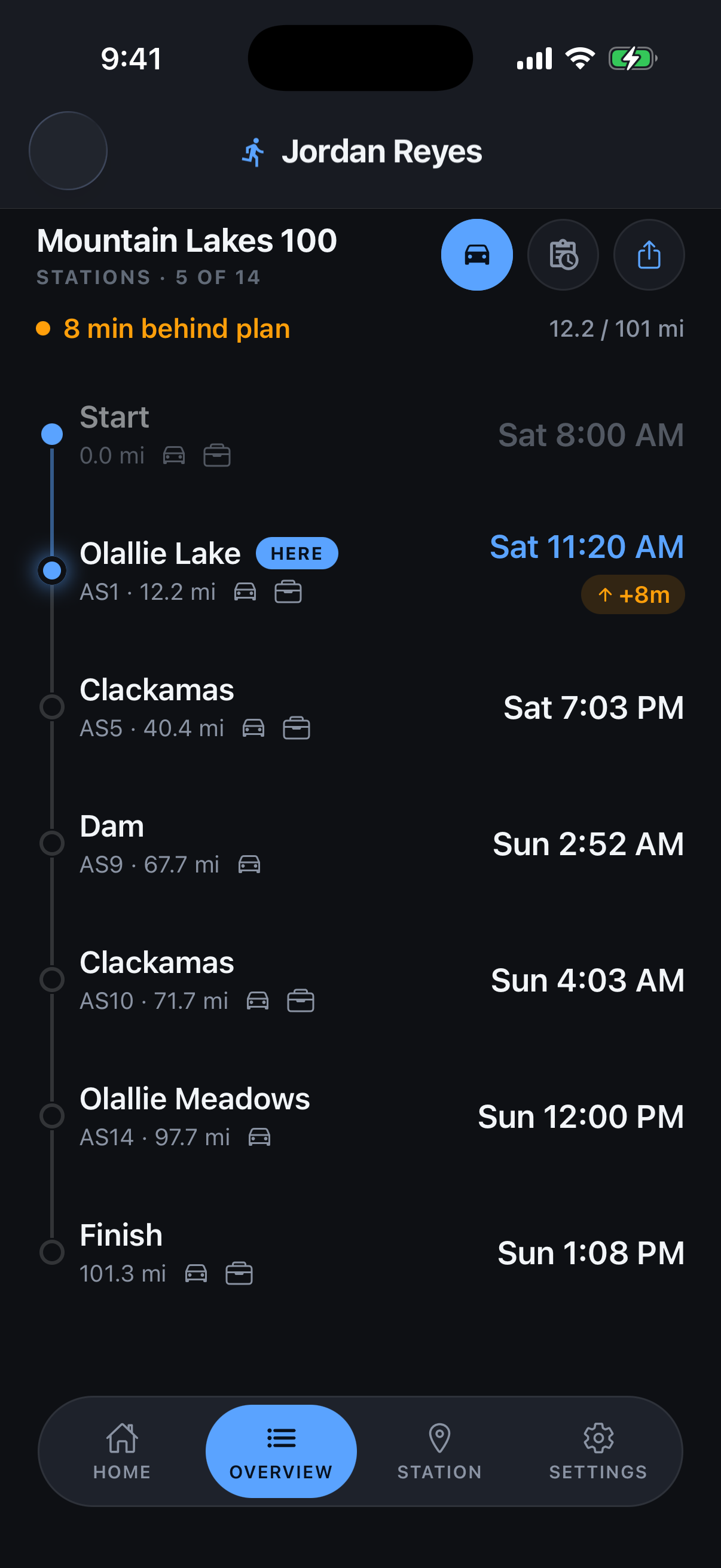
Your runner’s predicted vs. actual time at every aid station, recalculated live and shared with the whole crew.
Free beta · iPhone & Android
Get an email when a new build ships or the app is released.
What it does
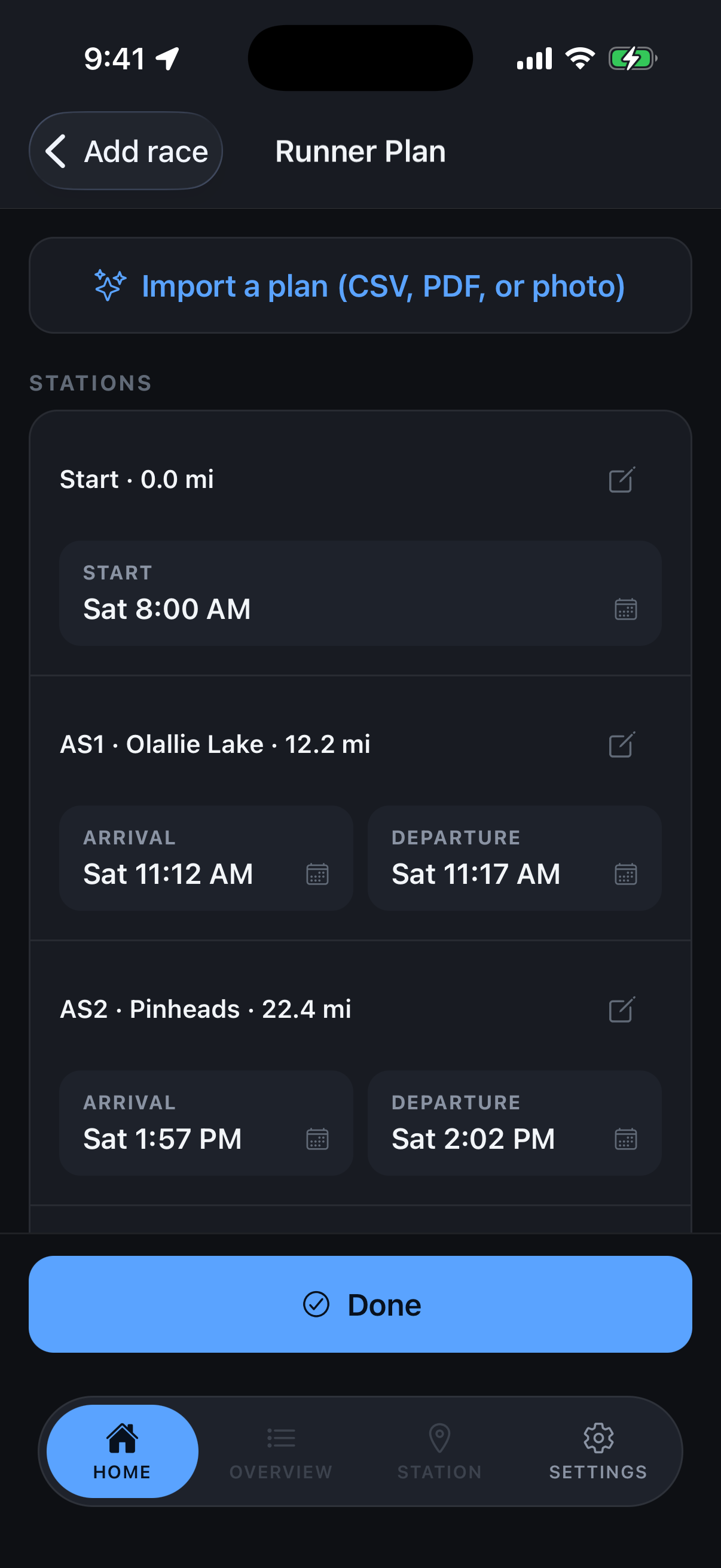
Your plan, loaded in seconds
Import the plan your runner already has: a PDF, a photo of a spreadsheet, or a CSV. Crew Companion reads it, maps each row to the right aid station, and flags anything out of order or past a cutoff. No plan yet? Pick your race from the supported list and it builds a starting plan from the course mileage and cutoffs.
One tap at the station
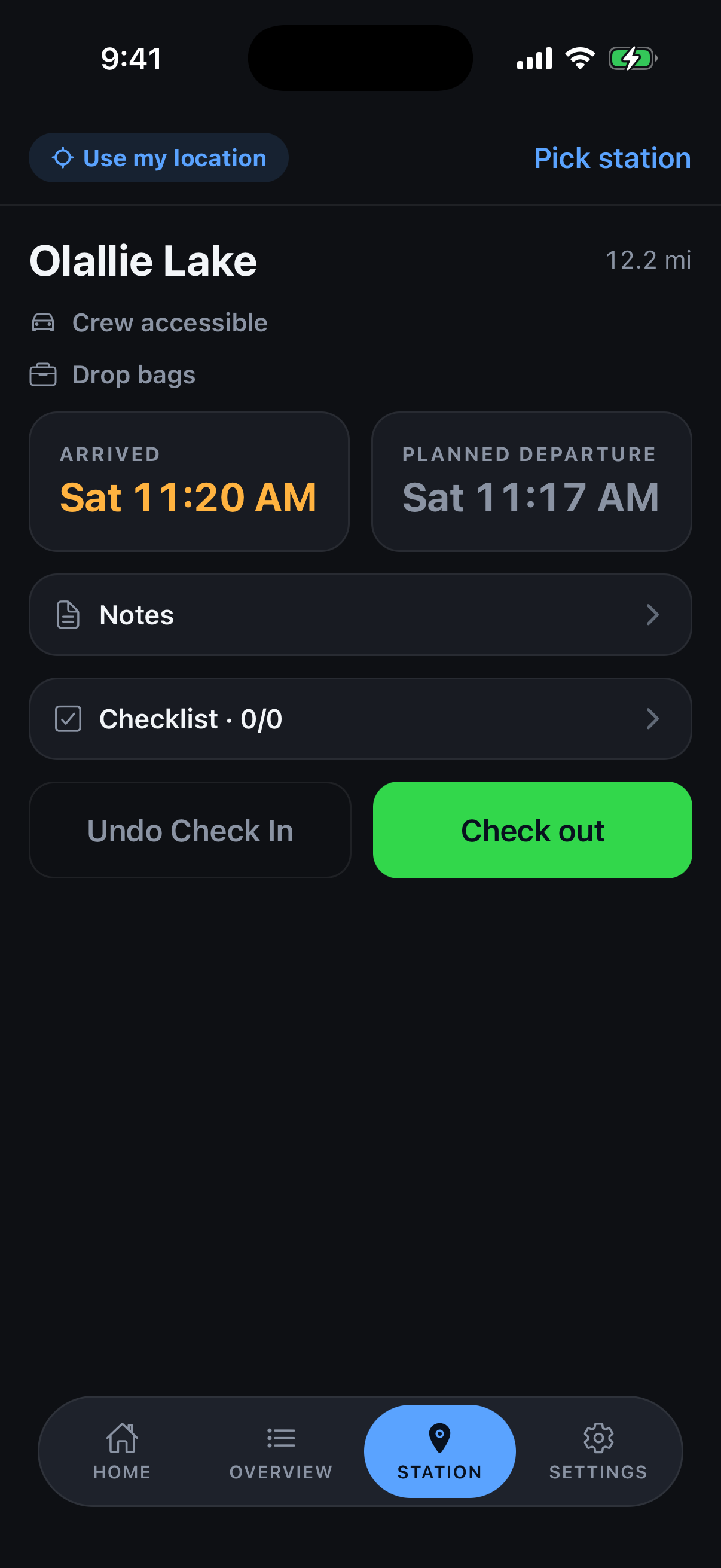
The app snaps to the aid station you’re standing at by GPS, or pick it by hand. Tap once to check your runner in and once to check them out, or type the time you know. Every downstream ETA recalculates on the spot, with a green or red delta so you know whether you’re ahead or behind. Paste a Trackleaders link and the live ETA sits right beside the plan.
One plan, every crew phone
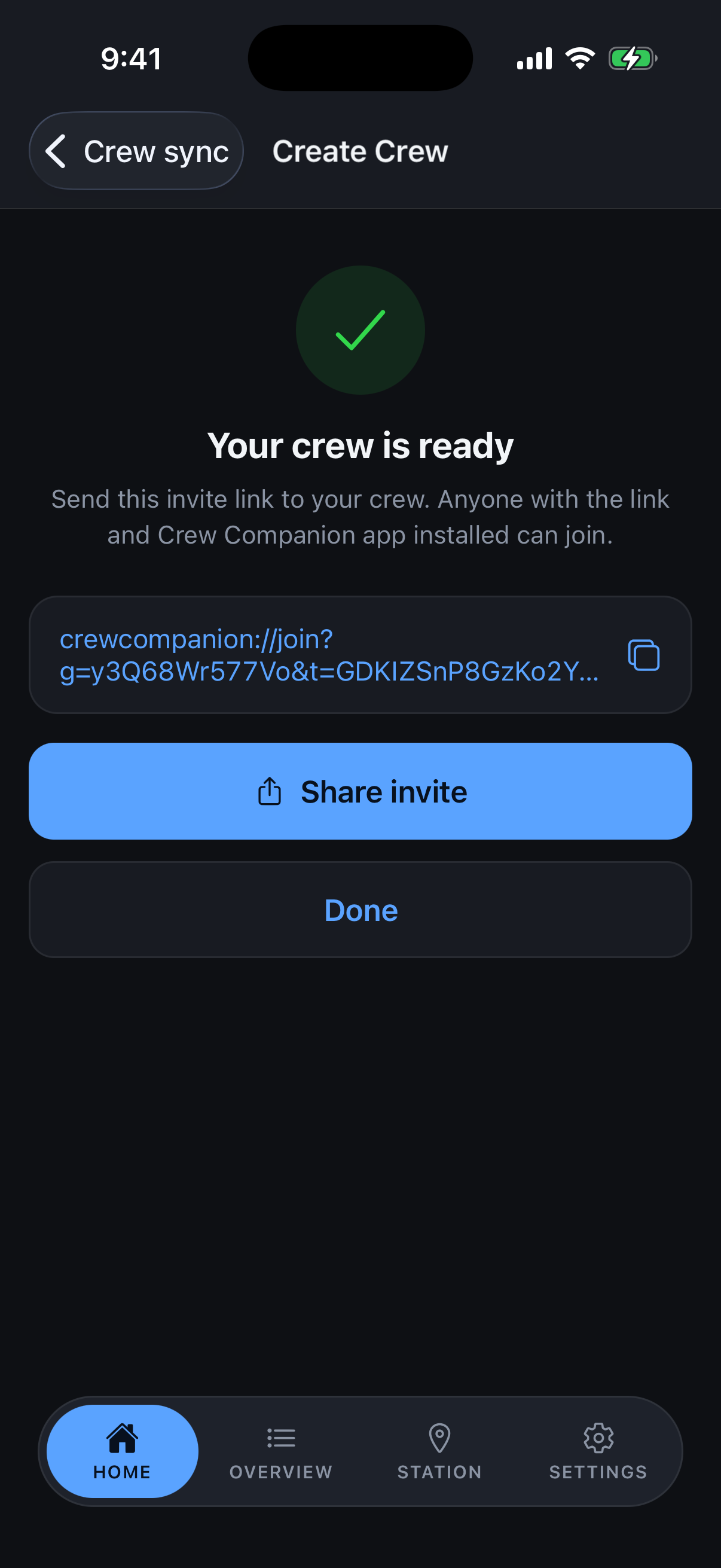
Create a crew and send one invite link. Everyone who joins sees the same live times, and a check-in on one phone shows up on all of them. It keeps working without a signal at remote stations; only the Trackleaders ETA needs a connection.
Good to know
Before you install
- iPhone on iOS 17 or later through TestFlight, or Android through the open beta on Google Play. No invite needed for either.
- Location is optional. It only auto-selects the aid station you’re at; the manual picker always works, and there are no nagging prompts.
- No account needed to use it solo. Crew sync uses Sign in with Apple or Google.
- Beta scope: one runner per phone.
- It’s a beta, so your feedback shapes it. After your race, share the diagnostic log from Settings and email it with your notes to wes@onwardendurance.com.